
StoreCensus for Chrome
Chrome Extension to Inspect Any Shopify or WooCommerce Store
Open a store, click the icon, and a side panel shows its revenue estimate, installed apps, tech stack and contacts, from our database of 4.7M+ stores.
Coming soon to the Chrome Web Store. Free for 5 stores a day.
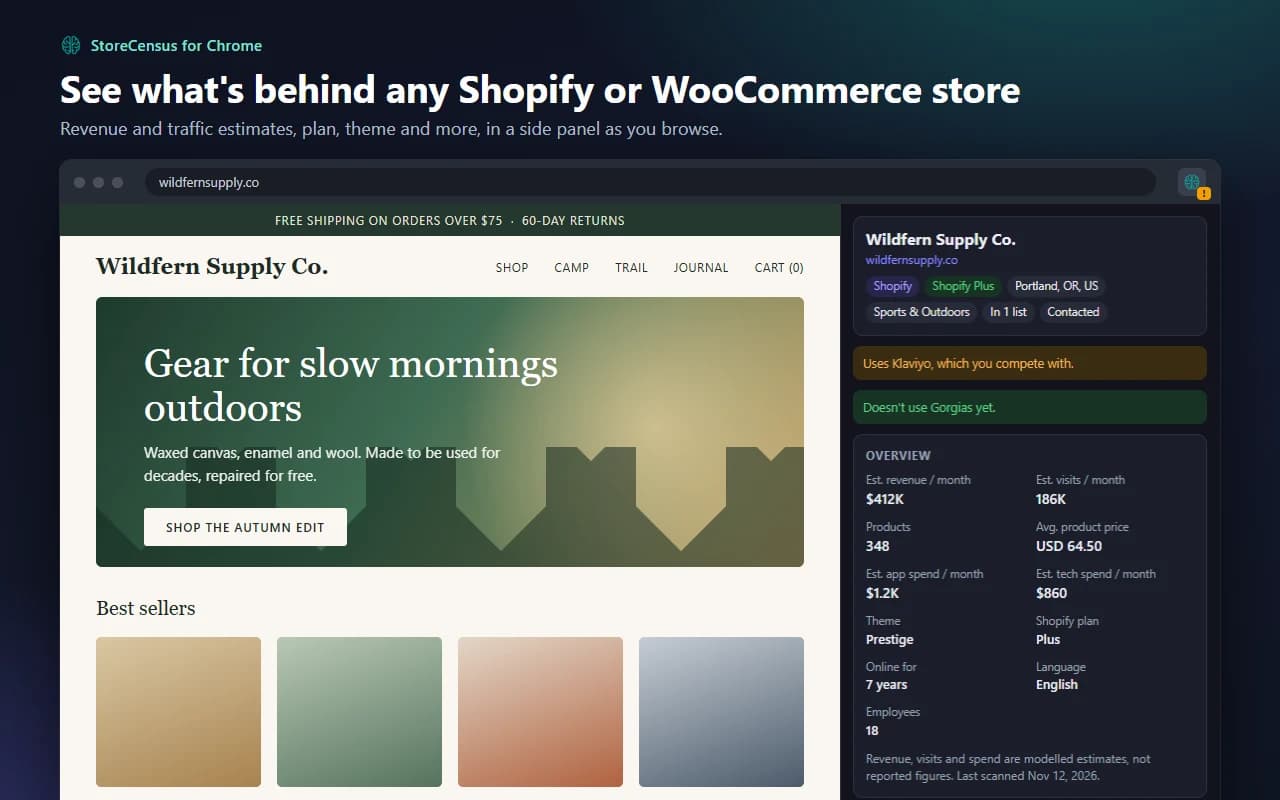
What the Store Inspector Shows You
The same data as the StoreCensus dashboard, updated weekly, on the store you are looking at.
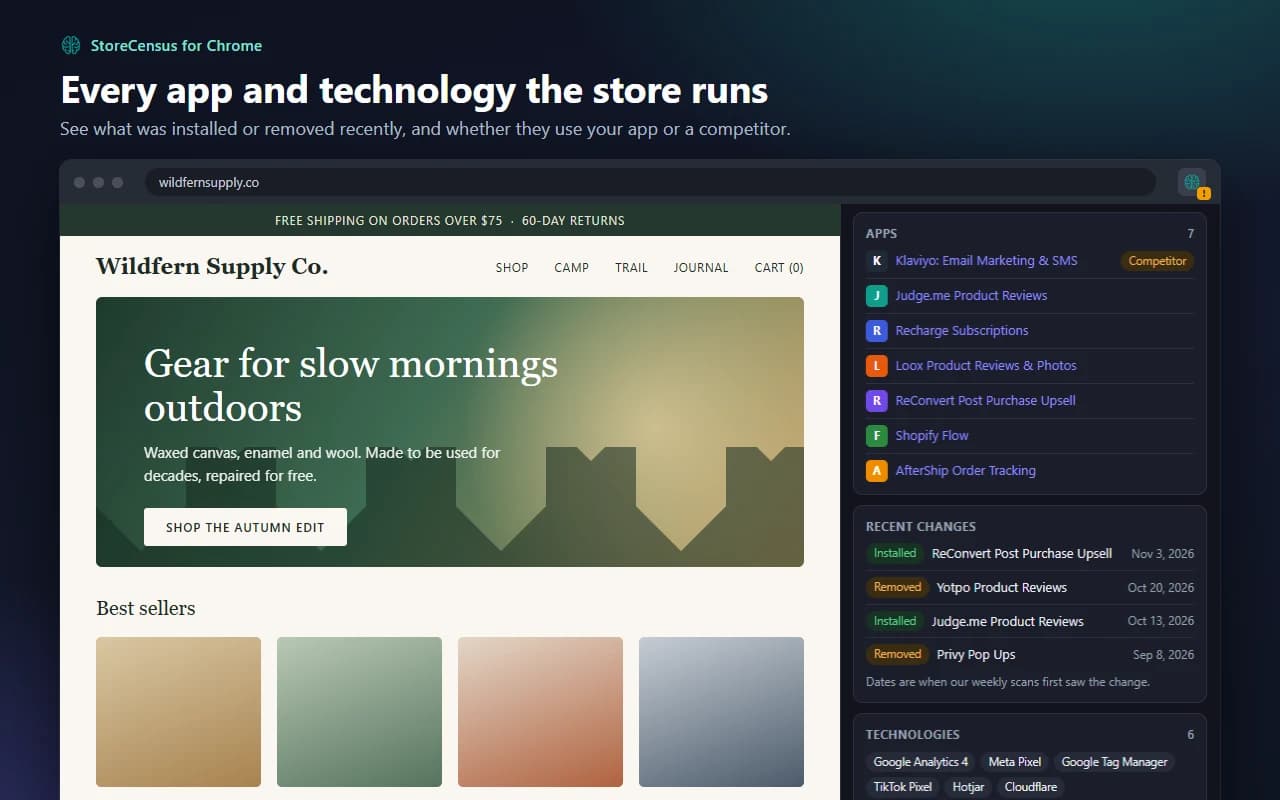
Every app and technology it runs
Installed Shopify apps from the 8.7K+ we track, analytics and ad pixels, and which apps the store added or removed in the last 90 days.
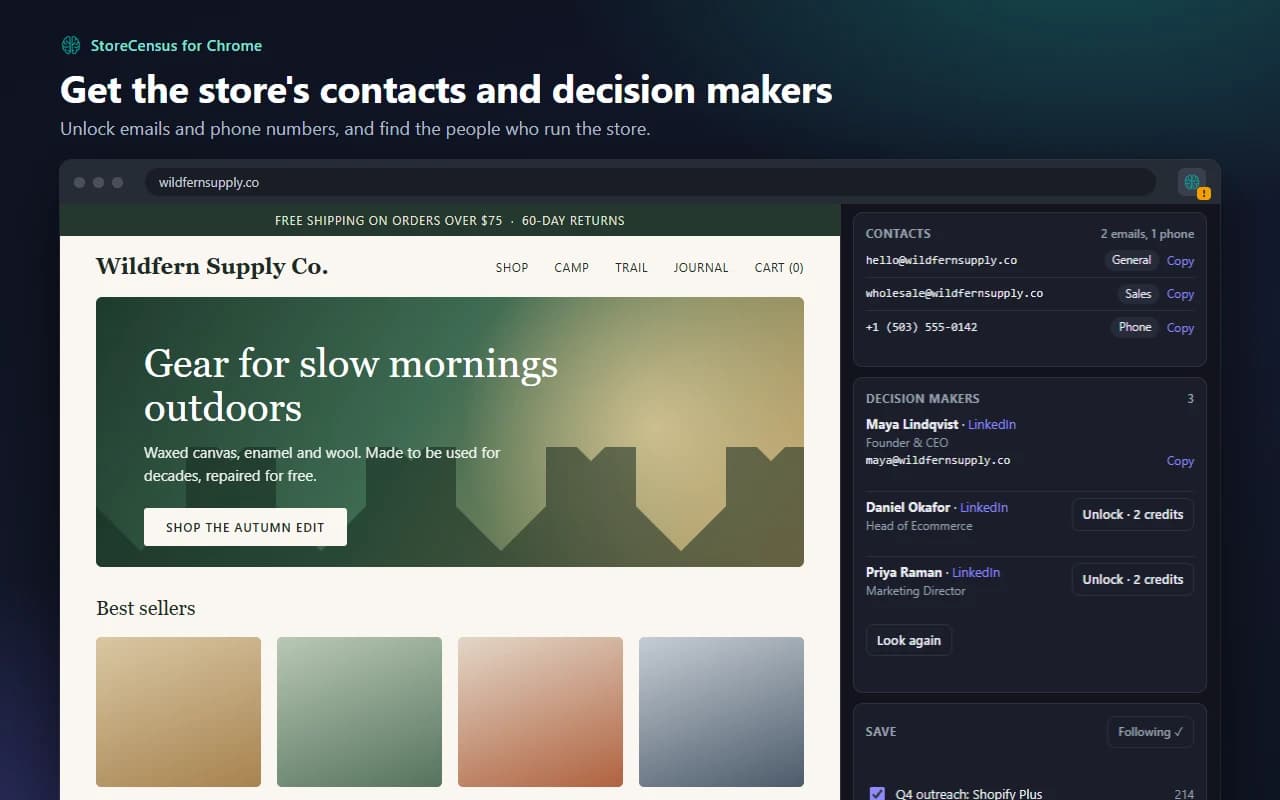
Contacts and decision makers
Unlock the store's emails and phone numbers for 1 credit, then find the founder or head of ecommerce and reveal a verified email.
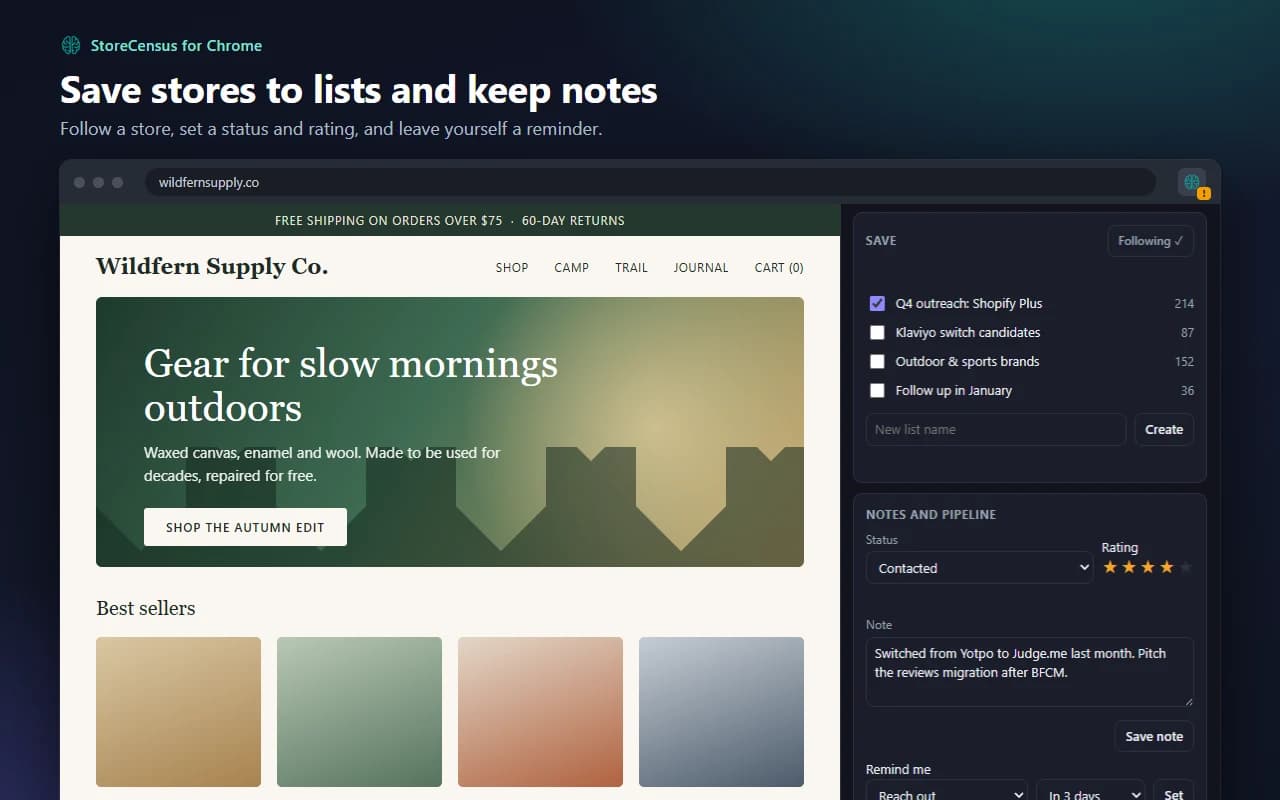
Save it before you close the tab
Add the store to a list, follow it for changes, set a status and rating, and leave a note or reminder. It is all in your StoreCensus account afterwards.
Straight into your outreach campaign
Pick a campaign in Apollo, Instantly or Smartlead and add the store to it without leaving the page.
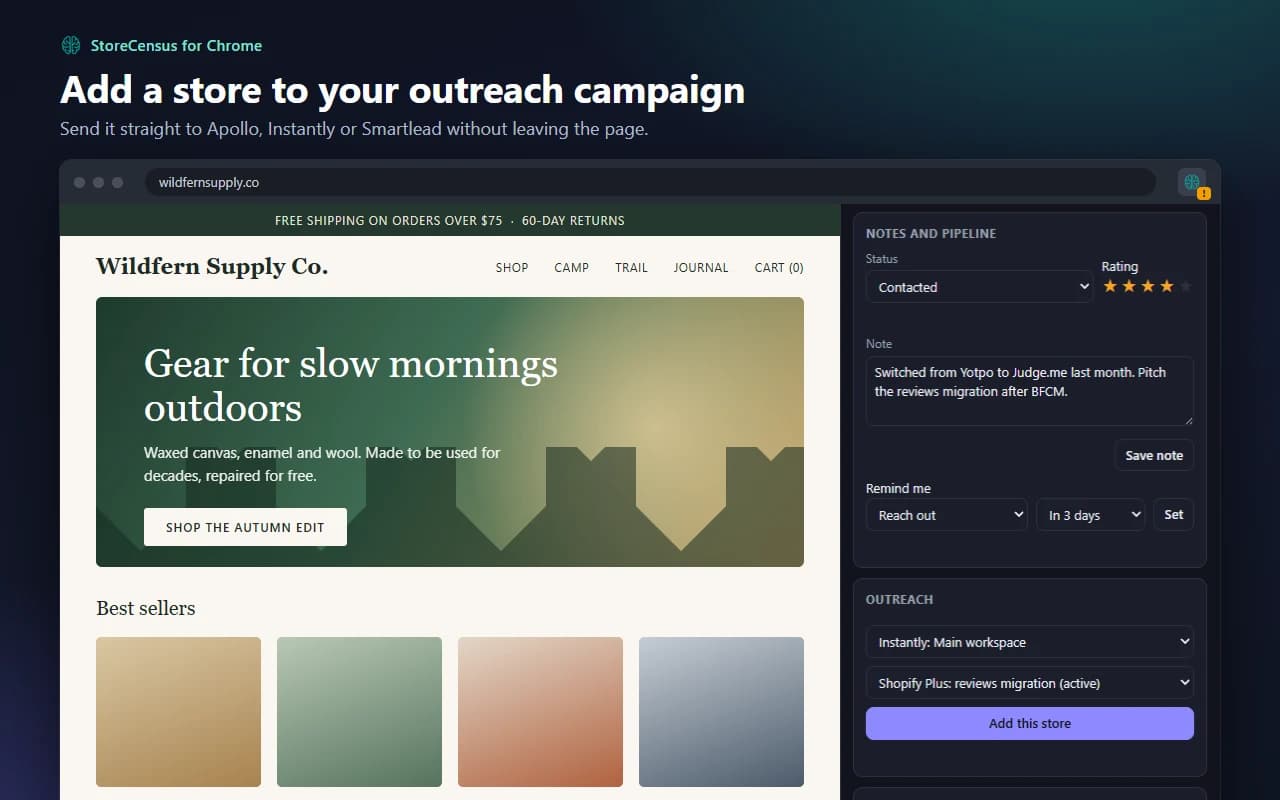
Screenshots show a demo store. Revenue and traffic figures are modelled estimates, not reported numbers.
Built for People Who Sell to Stores
Shopify app developers
Tell the extension which apps you sell and which you compete with. On every store, the panel says whether it already runs your app, runs a competitor, or runs neither, and the toolbar icon flags stores on a competitor.
Agencies and sales teams
Qualify a store while you are on it: size, platform, plan and tech stack. Then get the right contact, save it to a list and push it into the campaign you are already running.
How to Install the Chrome Extension
- 1
Add it to Chrome
The Chrome Web Store listing is on its way. Once it is live, you click "Add to Chrome", then "Add extension".
- 2
Pin the icon
Click the puzzle-piece icon to the right of the address bar and click the pin next to StoreCensus, so the icon stays in your toolbar.
- 3
Sign in
Click the StoreCensus icon to open the side panel and choose Sign in. Use your StoreCensus account, or create a free one, and click Allow.
- 4
Open a store
Visit any Shopify or WooCommerce store. The icon shows a dot when it recognises one, and the panel shows the store's profile.
More detail in the Chrome extension help article.
What Each Plan Includes
Higher plans include everything in Professional. See pricing
| In the extension | Free | Starter$49/mo | Professional$99/mo |
|---|---|---|---|
| Recognise Shopify and WooCommerce stores | Yes | Yes | Yes |
| Store profile: estimates, apps, technologies, socials | 5 stores a day | Yes | Yes |
| Unlock store contacts (1 credit) | — | Yes | Yes |
| Save to lists and follow | — | Yes | Yes |
| Notes, rating, status and reminders | — | — | Yes |
| Decision makers (2 credits each) | — | — | Yes |
| Add to an Apollo, Instantly or Smartlead campaign | — | — | Yes |
| Shopify plan, payments and recent app changes | — | — | Yes |
Privacy: What the Extension Sends
- ✓Recognising a store happens in your browser. No page content leaves your device.
- ✓A store's address is sent to StoreCensus only when you open the side panel on it to look it up.
- ✓The extension does not track your browsing or read forms, passwords or page text.
See our privacy policy.
Chrome Extension FAQ
How do I install the StoreCensus Chrome extension?
Open the StoreCensus listing in the Chrome Web Store and click "Add to Chrome", then "Add extension". Click the puzzle-piece icon in the toolbar and pin StoreCensus so its icon stays visible.
How do I use it?
Visit any online store and click the StoreCensus icon. A side panel opens next to the page. Sign in to your StoreCensus account once, and the panel shows that store's profile. Keep the panel open and it follows you from store to store.
How can I tell which apps a Shopify store uses?
Open the store with the StoreCensus extension installed and click the icon. The side panel lists the Shopify apps we have detected on that store, from the 8.7K+ apps we track, along with apps it added or removed recently.
How do I find out what theme a Shopify store is using?
The extension reads the theme from the page itself, so it shows the theme name as soon as you land on a Shopify or WooCommerce store, even before you sign in.
Is the extension free?
Yes. A free StoreCensus account can open 5 store profiles a day. Paid plans remove the daily limit and add contacts, lists, notes, decision makers and outreach, depending on the plan.
Do I need a StoreCensus account?
Yes, to see a store's profile. Without signing in, the extension still tells you whether a site is a Shopify or WooCommerce store and which theme it uses.
Does it work on WooCommerce stores?
Yes. The extension recognises both Shopify and WooCommerce stores, and StoreCensus tracks 2.1M+ Shopify stores and 2.6M+ WooCommerce stores. Whether you can open WooCommerce profiles depends on the platforms your plan covers.
What does unlocking a contact cost?
The same as on the website: 1 credit for a store's emails and phone numbers, and 2 credits to reveal a decision maker's email. A store you have already unlocked is never charged again.
What does the extension send to StoreCensus?
Only the address of a store, and only when you open the side panel on it to look it up. Working out whether a page is a store happens in your browser. The extension does not read or send page content and does not track your browsing.
What does the mark on the toolbar icon mean?
A dot means the page is a Shopify or WooCommerce store. A tick means you have already saved or unlocked it. An exclamation mark means the store runs an app you have marked as a competitor in the extension's settings.
The store I'm on isn't in StoreCensus. What can I do?
The panel offers to submit it. We queue the store for scanning, and its profile appears once it has been processed.
Are the revenue and traffic figures exact?
No. They are modelled estimates, not figures reported by the store, and some stores have none. Treat them as a way to size and compare stores.
Which browsers does it work in?
Google Chrome on desktop. Other Chromium browsers that install from the Chrome Web Store and support side panels, such as Microsoft Edge, should work too, but we test on Chrome.
More Shopify and WooCommerce Tools
Shopify Store Checker
Look up any Shopify store by domain without installing anything.
Explore →Shopify Theme Detector
Find out which theme a Shopify store is using.
Explore →Shopify Tech Stack Tool
See the apps and technologies behind a Shopify store.
Explore →Shopify Store Revenue Checker
Estimate a Shopify store's monthly revenue.
Explore →WooCommerce Store Checker
Look up any WooCommerce store by domain.
Explore →Koala Inspector Alternative
How StoreCensus compares with Koala Inspector.
Explore →Know the Store Before You Reach Out
4.7M+ Shopify and WooCommerce stores, one click away in your browser.
Create a Free Account